Mastering your RGB lighting system opens a world of creative possibilities, transforming any space into a dynamic and personalized environment. From subtle ambiance adjustments to dazzling visual displays, software-controlled RGB lighting offers unprecedented control and customization. This guide dives deep into the realm of RGB lighting control, providing a comprehensive overview of available software, hardware compatibility, and advanced techniques.
Understanding the diverse functionalities and capabilities of RGB lighting control software is crucial for achieving desired results. This detailed exploration will walk you through the essential steps, from basic setup to intricate customization, enabling you to effectively manage your lighting system.
Introduction to RGB Lighting Control Software
RGB lighting control software provides a convenient and powerful method for managing and customizing the colors and effects of RGB (Red, Green, Blue) lighting systems. This software offers a user-friendly interface for controlling various aspects of the lighting, allowing users to create dynamic displays and tailor the ambiance to their preferences. It is widely used in homes, gaming setups, businesses, and events to enhance visual appeal and create unique atmospheres.
Typical Functionalities
RGB lighting control software typically offers a range of functionalities to manage and customize the lighting. These functionalities are designed to cater to a diverse range of users and applications. This includes, but is not limited to, color selection, effect customization, and synchronization with other devices.
- Color Selection: The software allows users to select specific colors from a spectrum, either by manually inputting RGB values or by choosing from pre-defined color palettes. Advanced software often includes tools for color mixing and gradient creation.
- Effect Customization: This includes pre-programmed effects like fades, strobes, and chases, and the ability to create custom effects using parameters such as speed, intensity, and patterns. Advanced software can often allow for intricate animations and complex sequences.
- Synchronization: The software enables synchronization of the RGB lighting with other devices or systems, such as music, video games, or other applications. This often involves a software API to allow integration with external programs or services.
- Presets and Profiles: Users can save and recall lighting configurations as presets or profiles. This feature allows for easy transitions between different lighting scenarios, such as “party mode,” “movie night,” or “relaxation mode.”
- Scene Control: Software often allows users to create and manage different scenes or states for the lighting, allowing for a seamless transition between pre-programmed states.
Common Use Cases
RGB lighting control software is employed in various settings, offering diverse benefits.
- Home Entertainment: Creating dynamic lighting displays for parties, movies, or gaming. For example, a user could synchronize their RGB strip lights with the action in a video game, making the experience more immersive.
- Gaming Environments: Gaming setups often utilize RGB lighting to create a personalized and immersive gaming experience, often synchronized with in-game actions or events.
- Commercial Applications: Businesses can use RGB lighting to highlight products, enhance brand identity, or create unique visual experiences for customers.
- Events and Parties: Event planners can leverage RGB lighting to set the mood and create a memorable experience for attendees. This could include themed lighting for different parts of the event or synchronizing the lighting with music.
Basic Concepts of RGB Light Control
The basic concept behind controlling RGB lights via software involves sending instructions to the lighting controller. The software interprets user input and translates it into the appropriate signal to control the LEDs.
- Color Representation: RGB lights are controlled by adjusting the intensity of red, green, and blue light emitted by the LEDs. Each color is represented by a numerical value between 0 and 255, specifying the intensity of each color component. A combination of these values defines the desired color.
- Control Protocol: The software communicates with the RGB lighting controller through a specific protocol, such as DMX, Art-Net, or a custom protocol. This protocol dictates the format and structure of the instructions sent to the controller.
- Controller Functionality: The RGB controller receives and interprets the instructions from the software, adjusting the intensity of the LEDs accordingly. This allows for real-time control and responsiveness.
Typical User Interface Elements
The user interface of RGB lighting control software is designed for intuitive interaction.
- Color Picker: A color picker tool allows users to select colors using either predefined color palettes or by specifying RGB values.
- Effect Selection: Buttons or menus allow users to choose from pre-programmed lighting effects.
- Parameter Adjustment: Sliders or input fields allow users to modify the intensity, speed, and other parameters of the selected effects.
- Preset Management: A system for saving and loading custom lighting configurations.
- Synchronization Controls: Controls for syncing the lighting with other devices or systems.
Different Software Types and Platforms

Controlling RGB lighting effectively often requires specialized software. This software bridges the gap between your desires and the physical capabilities of your lighting system, allowing you to customize and manage your setup efficiently. Different types of software cater to various needs and user experiences.A wide array of software options exists for controlling RGB lighting, ranging from dedicated applications specifically designed for this purpose to more general-purpose lighting control software.
Understanding the differences between these types of software is crucial to selecting the best solution for your individual needs. Dedicated software often offers more advanced features and a smoother user experience, while generic software may be more versatile but require more technical expertise to master.
Dedicated RGB Control Software
Dedicated RGB control software is specifically tailored for managing RGB lighting systems. This type of software typically provides a comprehensive suite of features designed to handle the unique aspects of RGB lighting, such as color mixing, effects, and synchronization. These applications usually provide a more user-friendly interface compared to generic lighting control software, making it easier for users to create and implement complex lighting schemes.
Generic Lighting Control Software
Generic lighting control software is designed for a broader range of tasks, often encompassing various types of lighting systems, including RGB. While these applications might support RGB lighting, they may not be as focused on the specific nuances of color mixing and effects. This broader scope sometimes comes at the cost of a simpler interface, requiring users to navigate more extensive menus to achieve their desired effects.
In contrast to dedicated RGB control software, these programs may need to be configured or customized further for optimized RGB lighting control.
Ease of Use and Features Comparison
The ease of use and specific features available in RGB control software vary considerably. Dedicated software often boasts intuitive interfaces and pre-built effects, simplifying the process of creating custom lighting sequences. Generic software may require more technical understanding to achieve similar results. The level of customization and complexity in the lighting effects achievable also varies greatly.
Examples of Popular RGB Lighting Control Software
Numerous software applications are available for controlling RGB lighting. Some well-regarded examples include [Software A], [Software B], and [Software C]. These programs vary in their approach, feature sets, and user experience. The selection of software often depends on the specific requirements of the user.
Comparison Table of RGB Lighting Control Software
| Software Name | Platform | Key Features | Ease of Use |
|---|---|---|---|
| [Software A] | Windows/macOS | Advanced color mixing, extensive effects library, scene creation, synchronization | High |
| [Software B] | Windows | Simple color selection, basic effects, control over multiple zones | Medium |
| [Software C] | Web-based | Remote control, cloud-based storage, user-friendly interface | High |
| [Generic Lighting Control Software] | Various | Control over various lighting types, integration with home automation systems | Variable, depends on the specific software |
Controlling Lighting Effects and Scenes
RGB lighting control software empowers users to transcend basic on/off functionality, enabling dynamic and engaging lighting experiences. Beyond static colors, these programs facilitate the creation of intricate lighting effects, patterns, and scenes. This capability significantly enhances the aesthetic and functional appeal of RGB-controlled environments, whether in homes, businesses, or specialized applications.Software applications provide a comprehensive approach to managing lighting effects, allowing users to meticulously craft and orchestrate sequences and patterns.
This control extends to synchronizing lighting with external triggers, like music or other events, creating a seamless and interactive experience.
Creating and Managing Lighting Effects
Software facilitates the creation of various lighting effects, from subtle transitions to dramatic sequences. Users can define parameters such as speed, intensity, color gradients, and animation patterns to tailor effects to their specific needs. This granular control is essential for achieving complex and nuanced lighting displays.
Programming Lighting Sequences and Patterns
Software programs offer tools to define intricate lighting sequences and patterns. These programs typically allow users to specify the duration of each effect, the colors used, and the transition methods between them. This control allows users to create sequences that seamlessly transition between different colors, intensities, and patterns, mimicking animations or visual narratives. Sophisticated software might even allow for looping or randomization of sequences for more dynamic effects.
Creating and Saving Custom Lighting Scenes
Lighting control software facilitates the creation and storage of custom lighting scenes. Users can save combinations of colors, effects, and sequences as pre-set scenes, enabling easy recall and application later. This feature is valuable for establishing specific ambiances or moods, from a vibrant party scene to a relaxing evening atmosphere. These scenes can be easily recalled and applied, saving time and effort.
Synchronizing Lighting with External Triggers
Many RGB lighting control software programs offer the ability to synchronize lighting with external triggers. This often includes music or other time-based events. This synchronization feature allows users to create dynamic lighting displays that react to the music or event. The integration of these triggers adds a layer of interactivity and immersion to the lighting experience. For example, a software program can be set to alter lighting patterns in time with the beat of a song.
Common Lighting Effects and Their Software
| Effect Name | Software | Description |
|---|---|---|
| Color Fade | Most RGB Lighting Software | Smooth transition between two or more colors. |
| Color Cycle | Most RGB Lighting Software | Sequential display of various colors, often in a rainbow pattern. |
| Chase | Most RGB Lighting Software | A single color or pattern moves across the lighting zone. |
| Strobe | Most RGB Lighting Software | Rapid flashing of colors or patterns. |
| Breathing | Most RGB Lighting Software | Color intensity gradually increases and decreases. |
| Music-Reactive | Some advanced RGB Lighting Software | Lighting patterns change based on audio input, like music volume or tempo. |
Hardware Compatibility and Setup
Successfully controlling RGB lighting requires a seamless connection between your software and the hardware. Understanding the types of hardware supported, how to identify compatibility, and the setup process are crucial for a smooth experience. This section details the essential aspects of this connection, providing a clear path to configuring your RGB lighting system.
Typical Hardware Components
Various hardware components can be controlled by RGB lighting software. These include, but are not limited to, addressable LED strips, fans, and other peripherals designed for color-changing effects. The complexity of the hardware, and the software’s capabilities, will dictate the extent of control available.
Identifying Compatible Hardware
Software compatibility is a crucial consideration. A program’s documentation typically lists supported hardware models or manufacturers. Carefully review the software’s specifications to ensure your hardware is compatible. Often, a specific API or driver is required for successful communication. This compatibility is not always automatic and can require the use of a dedicated driver or application.
Look for manufacturer-provided documentation for your specific hardware to confirm compatibility with the chosen software.
Setup Process for Connecting RGB Lighting Hardware
The setup process typically involves connecting the RGB lighting hardware to a computer, installing the necessary software, and configuring the software to communicate with the hardware.
Step-by-Step Procedure for Connecting and Configuring
- Hardware Connection: Connect the RGB lighting hardware to your computer using the appropriate cables, typically USB or a similar interface. Ensure proper connection and secure all connections.
- Software Installation: Download and install the compatible RGB lighting software onto your computer. Follow the on-screen instructions for a smooth installation. The installation process should often include prompts to allow the software to access necessary hardware drivers.
- Device Recognition: Once the software is installed, it should automatically detect the connected RGB lighting hardware. If the device is not recognized, consult the software’s documentation or the hardware manufacturer’s support materials for troubleshooting guidance.
- Software Configuration: Configure the software to control the RGB lighting hardware according to your preferences. This step often involves adjusting lighting effects, colors, and scenes. Review the software’s interface for detailed instructions on configuration settings.
- Testing: After configuration, test the RGB lighting hardware to ensure it responds to the software’s commands. Experiment with different effects and lighting patterns to verify proper functionality.
Common Hardware Devices and Their Software Control Methods
| Device Type | Software Support | Connection Method |
|---|---|---|
| Addressable LED Strips | Generally supported by most RGB lighting software | USB, Wi-Fi, or dedicated controllers |
| RGB Fans | Often supported by dedicated software | USB or specific fan controller interfaces |
| Customizable Peripherals | Support depends on the peripheral manufacturer and software capabilities | Usually via dedicated hardware or software interfaces |
Advanced Customization and Features
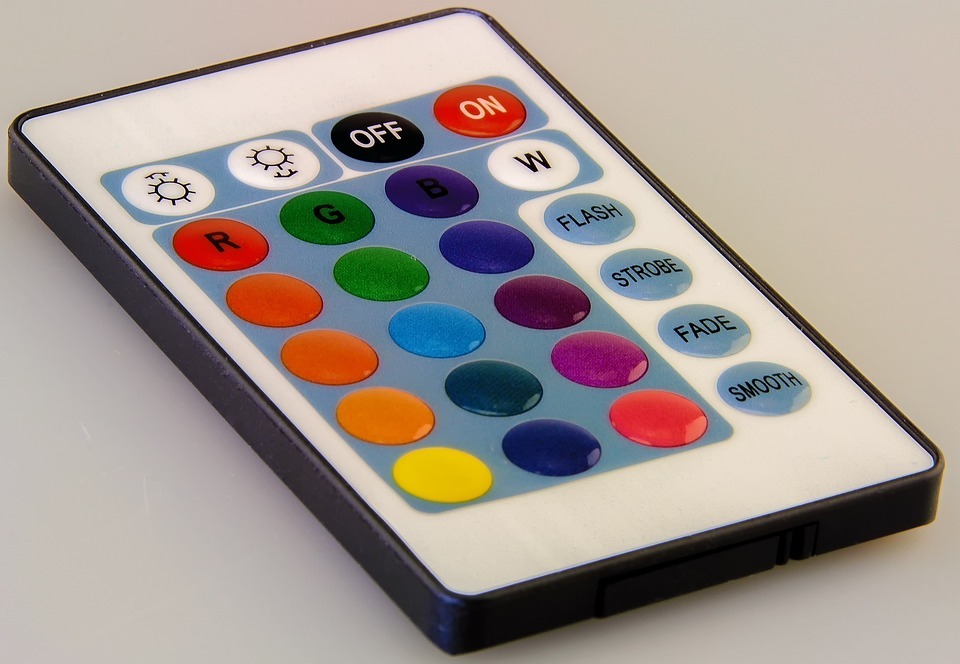
RGB lighting control software offers a wide array of advanced features beyond basic on/off and color selection. These enhancements empower users to create sophisticated lighting designs and experiences tailored to their specific needs. This section delves into these advanced functionalities, including color mixing, animations, and control of multiple zones.Software provides users with granular control over their RGB lighting setups, allowing for complex lighting schemes.
This level of customization is essential for achieving intricate and dynamic visual effects.
Color Mixing and Temperature Adjustment
Color mixing is a fundamental aspect of advanced RGB lighting control. Software allows users to precisely blend various colors to achieve a vast spectrum of hues. This goes beyond pre-defined colors, enabling users to create custom shades. Additionally, the software often incorporates color temperature adjustments. This feature allows users to modify the warmth or coolness of a light source.
Adjusting color temperature is crucial for specific applications, like mimicking daylight or creating a warm, inviting atmosphere.
Animation Creation
Software enables users to create and manipulate animations to add dynamic effects to their lighting setups. Animations allow for seamless transitions between colors, intensities, and patterns. The software may include predefined animation templates, or allow users to create custom animations using various parameters, including duration, speed, and easing curves. This feature is critical for creating engaging and dynamic lighting scenes, such as subtle fades, rapid color changes, or complex patterns.
Creating these animations involves manipulating parameters like transition speed and effect duration to achieve desired results.
Multiple Zone Control
Controlling multiple zones of RGB lighting is a crucial feature for complex setups. Sophisticated software facilitates independent control of different lighting zones. Users can set distinct colors, effects, and animations for each zone, allowing for highly personalized and intricate lighting designs. This feature is essential for applications where distinct lighting zones are needed, such as showcasing various products or creating themed environments.
Using the software, users can group zones together to create unified lighting sequences.
Custom Lighting Macros
Custom lighting macros are powerful tools for automating complex lighting sequences. These macros allow users to record and playback sequences of lighting effects, colors, and animations. This streamlines the process of creating complex lighting shows and eliminates the need to manually adjust settings repeatedly. Using macros, users can create personalized lighting sequences that are automatically triggered by external events or scheduled to occur at specific times.
Macros can be linked to triggers, like a button press or a specific time of day.
Third-Party Plugin Integration
Many RGB lighting control software programs support the integration of third-party plugins or extensions. These plugins extend the software’s functionality, enabling users to control lighting based on external factors or integrate with other systems. For instance, plugins might allow users to synchronize lighting with music, create lighting responses to sensor data, or integrate with home automation systems. Plugins can add specialized functionalities, like triggering lighting sequences based on weather conditions or ambient light levels.
Troubleshooting Common Issues
Troubleshooting RGB lighting control software issues is crucial for a seamless experience. Properly diagnosing and resolving problems ensures optimal performance and prevents frustration. This section details common problems, their potential causes, and effective solutions.
Common Software Issues
Software glitches can arise from various factors, including conflicting applications, outdated drivers, or insufficient system resources. Incorrect software configuration can also lead to unexpected behaviors. Careful attention to these aspects often resolves many issues.
- Software Crashes or Freezes: Software crashes or freezes are often indicators of insufficient system resources, conflicts with other applications, or corrupted files. Restarting the computer and the RGB software, or updating drivers, may resolve the problem. Consider running a system scan for malware or conflicts. If the issue persists, uninstall and reinstall the software, ensuring compatibility with the operating system.
- Lighting Effects Not Displaying Correctly: Mismatched software settings or incorrect hardware configuration can cause lighting effects to not display as intended. Verify that the chosen effects are compatible with the connected hardware and that the software settings match the intended outcome. Reviewing the software documentation for specific instructions and troubleshooting steps is highly recommended.
- Inconsistent Lighting: Inconsistent lighting can stem from various sources, including corrupted data, conflicts with other hardware or software, or a faulty connection. Check for any recently installed or updated hardware or software that might be causing interference. Rebooting the system, ensuring stable power supply for the hardware, and updating the software or drivers can help.
Hardware Compatibility Problems
Compatibility issues arise when the RGB lighting hardware is not properly recognized or supported by the software. This can be due to incorrect drivers, unsupported hardware versions, or incompatibility between the hardware and the software.
- Hardware Not Recognized: Ensure that the hardware is properly connected and that the necessary drivers are installed. Check the manufacturer’s website for the latest drivers. If the issue persists, try a different USB port or a different power source.
- Limited or No Response to Software Commands: If the hardware does not respond to software commands, the connection might be faulty, or the software version might be outdated. Verify the hardware is properly connected and the software is compatible with the specific hardware model. Updating the software or drivers to the latest versions can help.
Connectivity Problems
Connectivity problems can be caused by issues with the network or the physical connection. Poor network stability or interference from other devices can also lead to connectivity problems.
- Loss of Connection: A lost connection often indicates a problem with the physical connection, or with the network. Ensure the cables are properly connected and the hardware is powered on. If using a wireless connection, try moving the hardware closer to the network source to reduce interference.
- Delayed or Intermittent Responses: Delayed or intermittent responses could be due to network congestion, conflicting devices, or issues with the software itself. Check for other applications or devices that might be competing for network resources, and try restarting the affected software or network devices.
Troubleshooting Compatibility Issues
To troubleshoot compatibility issues, follow these steps:
- Verify Hardware Compatibility: Confirm that the RGB lighting hardware is compatible with the chosen software. Consult the software’s documentation and the hardware manufacturer’s specifications for compatibility details.
- Update Drivers: Update the drivers for the RGB lighting hardware to the latest versions available from the manufacturer’s website. Incorrect or outdated drivers can often lead to compatibility issues.
- Reinstall Software: Uninstall and reinstall the RGB lighting control software, ensuring that all necessary dependencies are installed correctly.
- Check for Conflicts: Identify any conflicting software or hardware that might be interfering with the RGB lighting hardware. Disable or uninstall potentially conflicting applications to see if this resolves the issue.
Troubleshooting Connectivity Issues
To troubleshoot connectivity issues, follow these steps:
- Check Physical Connections: Ensure all cables are securely connected and that there are no loose connections.
- Restart Devices: Restart the RGB lighting hardware and the computer to refresh connections and clear temporary glitches.
- Network Diagnostics: Run network diagnostics to identify any network issues. Consider restarting the router and modem.
- Check for Interference: Identify and mitigate any potential sources of interference with the network or the RGB lighting hardware, like other wireless devices.
Examples of Practical Applications
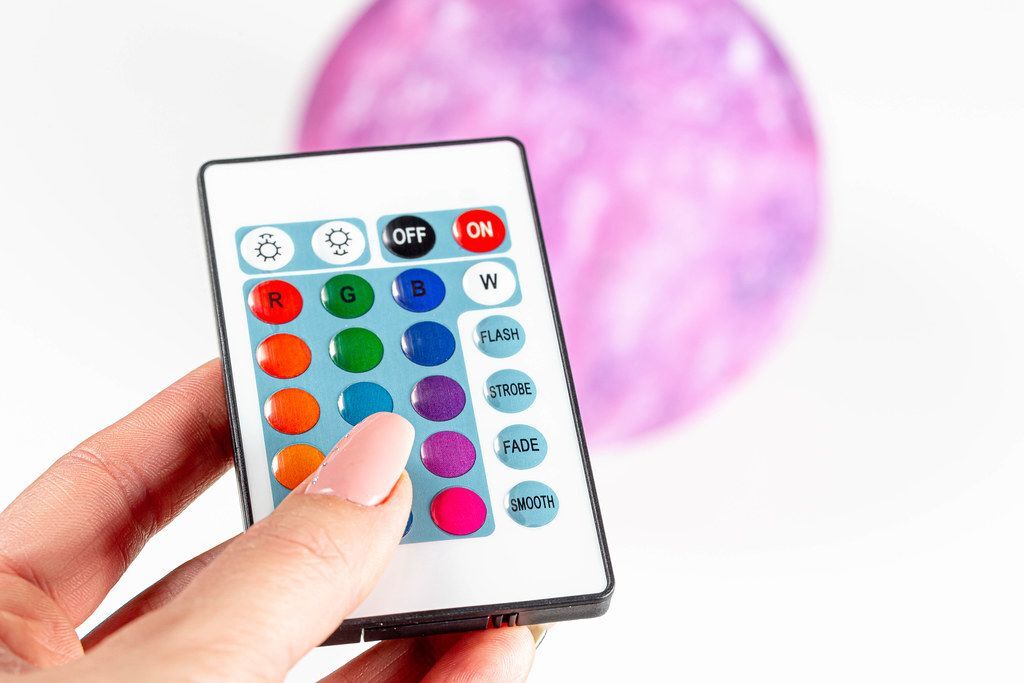
RGB lighting, controlled effectively with software, offers a wealth of possibilities for enhancing various settings. From creating immersive atmospheres in homes to boosting brand recognition in businesses and crafting captivating experiences at events, the potential applications are vast. Software empowers users to tailor lighting effects to achieve specific desired outcomes, from subtle mood adjustments to dramatic visual displays.
Residential Applications
Software-controlled RGB lighting systems can significantly enhance the aesthetic appeal and functionality of homes. Users can program different lighting schemes for various occasions, such as creating a relaxing ambiance for movie nights, a vibrant atmosphere for parties, or a calming environment for bedtime. Software allows for pre-set scenes, automated transitions, and even integration with smart home systems, providing a personalized and responsive lighting experience.
Commercial Applications
Businesses can leverage RGB lighting to enhance brand identity and create dynamic displays. Retail stores can use shifting colors and patterns to highlight merchandise or promote specific products. Restaurants can create unique atmospheres in different dining areas, while offices can use color-coded lighting to boost productivity or enhance team collaboration. Software plays a vital role in managing these intricate displays and automating lighting sequences.
Event Applications
RGB lighting is an indispensable tool for creating memorable experiences at events. Concert venues can use dynamic color changes to enhance the musical performance. Festival organizers can use programmed lighting displays to create a unique and captivating atmosphere. Wedding planners can use color schemes to match the theme and evoke a specific mood. Event software allows for real-time adjustments and precise control over the lighting sequences, ensuring a truly immersive experience.
Table of Practical Application Examples
| Application | Software Used | Lighting Effect | Desired Outcome |
|---|---|---|---|
| Home Entertainment | Custom RGB Lighting Software | Changing colors to match movie genre, gradual dimming for bedtime | Immersive atmosphere, mood enhancement, personalized experience |
| Retail Store Display | Retail Lighting Management Software | Highlighting specific products with dynamic color patterns, cycling through multiple product displays | Increased visibility, brand engagement, promotional effectiveness |
| Restaurant Ambiance | Restaurant Lighting Control Software | Creating different color palettes for different dining areas, programmed transitions based on the time of day | Unique atmosphere, enhanced dining experience, customer engagement |
| Concert Venue | Concert Lighting Control Software | Matching light patterns with the music, synchronized light shows with audio | Captivating performance, immersive atmosphere, enhanced enjoyment |
Software Documentation and Support

Effective RGB lighting control relies heavily on understanding the software’s documentation and support resources. This knowledge allows users to efficiently troubleshoot problems, maximize the software’s capabilities, and ensure optimal performance. A well-maintained support system is crucial for seamless integration of the software with your RGB lighting setup.Comprehensive documentation provides a crucial foundation for users to navigate and utilize the software effectively.
Detailed instructions, examples, and explanations facilitate a smoother learning curve. Access to online support channels provides an avenue for users to receive assistance from experts and peers, fostering a collaborative environment for problem-solving.
Finding Software Documentation
Documentation for RGB lighting control software often includes a dedicated help section or user manual. This resource is typically available on the software developer’s website, frequently within the program’s installation folder or a dedicated support page. Searching the website’s help center or support portal using s related to the specific software function or issue is an efficient way to find relevant information.
Accessing Online Support Forums and Communities
Many software developers maintain online support forums or communities where users can interact with other users and developers. These platforms offer a valuable resource for troubleshooting issues, seeking advice, and sharing experiences. Active online communities provide opportunities to learn from others’ experiences and find solutions to problems quickly.
Utilizing Tutorials and FAQs
Tutorials and frequently asked questions (FAQs) are commonly incorporated into software documentation. These resources offer step-by-step instructions and answers to common queries, often presented in a readily accessible format. They act as quick guides for learning how to use specific features or resolve common problems. Tutorials offer a structured approach to understanding the software’s functionalities, while FAQs provide quick answers to recurring questions.
Using the Software’s Built-in Help System
Many RGB lighting control software programs have a built-in help system. This often includes a searchable knowledge base, tutorials, and quick reference guides. The help system allows users to easily find answers to specific questions and learn about the software’s features. A well-designed built-in help system provides quick access to essential information, promoting user efficiency.
Documentation Sources
- Software developer’s website (help section, user manuals): This is a primary source of information, typically containing comprehensive documentation.
- Online support forums and communities (e.g., Reddit, dedicated forums): These provide opportunities for interaction with other users and developers, fostering a collaborative learning environment.
- Tutorials and FAQs (within the software or on the website): These offer step-by-step instructions and solutions to common problems, facilitating a faster learning curve.
- Built-in help system (within the software application): This feature provides quick access to a knowledge base, tutorials, and reference guides directly within the program.
Concluding Remarks

In conclusion, this comprehensive guide has provided a thorough understanding of RGB lighting control software. By exploring different software types, controlling lighting effects and scenes, ensuring hardware compatibility, and delving into advanced customization options, you now have the knowledge to personalize your RGB lighting setup. Troubleshooting common issues and understanding practical applications further empowers you to achieve the desired ambiance and mood in various settings.